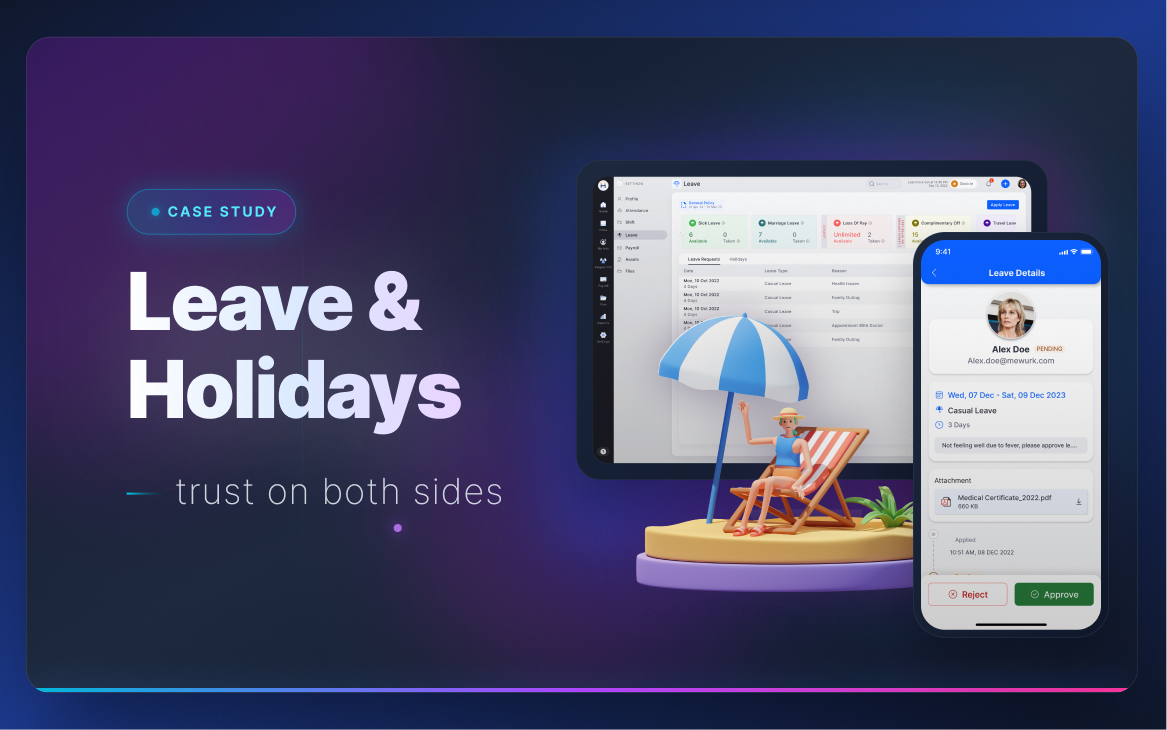
December was a crisis. Every year. For every HR manager.
Research sessions with 30+ companies revealed a consistent pattern: year-end leave processing was the single most stressful moment in the HR calendar. HR managers spent 3–4 weeks manually calculating carry-forward, chasing manager approvals, and reconciling policy compliance under payroll pressure.
"I don't want to think about carry-forward every year. Just automate it based on the rules I've already set."
Says
Leave policies should match our company culture. Carry-forward rules must comply with labour law. I need to see leave liability as part of cash flow planning.
Thinks
Are our leave policies actually working? Are we compliant? What is our total leave liability for the year?
Does
Approves leave policy changes. Reviews overall leave utilisation. Monitors compliance risks. Signs off on year-end carry-forward decisions.
Feels
Concerned about labour law compliance. Satisfied when policies are enforced automatically. Worried about leave liability accumulation in balance sheets.
Pain
Carry-forward must be manually calculated at year-end
Leave accumulation becomes complex with multiple policies
Compliance risk when rules are not uniformly applied
No visibility into total leave liability for financial planning
Need
Automatic year-end carry-forward based on set rules
Clear leave liability summary for financial reporting
Compliance audit trail for every leave decision
Policy effective-date control (changes apply from date X)
"December is the worst month of my year. I'm calling managers to approve leaves while simultaneously trying to calculate carry-forward in Excel. All before payroll closes."
Says
I need to close leave balances before payroll runs. Managers don't approve pending leaves on time. Carry-forward has too many edge cases.
Does
Creates and assigns leave policies. Processes leave requests. Calculates carry-forward manually. Sends reminders to managers. Handles year-end compliance.
Sees
All pending leave requests across teams. Employees with unused leave approaching expiry. Manager approval delays. Payroll deadline on the calendar.
Feels
Overwhelmed in December. Frustrated when managers delay approvals. Anxious about compliance. Satisfied when year-end closes cleanly.
Pain
Year-end carry-forward is manual and error-prone
Managers don't approve pending leaves before year-end
Late declarations from employees
Policy rules are complex and have overlaps
No automated reminders for pending actions
Cannot see team coverage when approving leaves
Need
Auto carry-forward calculation based on defined rules
Automated reminders to managers 30 days before year-end
Batch approval tools for pending leave backlog
Team availability calendar for coverage decisions
Policy overlap validation built into setup flow
Persona 02 — Team Manager and Employee
👔
Team Manager
Approves team requests, manages coverage, plans projects
"I have 50 leave requests in December I haven't seen. HR calls me but I'm in end-of-year project crunch."
Says
I approve leaves but I need to see team availability first. I don't want to have half the team on leave during a critical delivery.
Thinks
Who else is on leave this week? If I approve this, will I have enough coverage? I need to see the impact before I click approve.
Does
Reviews leave requests one by one. Checks informally with team for coverage. Approves or declines based on gut feeling. Forgets to process requests during busy periods.
Feels
Burdened by approval volume. Blind when making coverage decisions. Guilty about delays. Frustrated when HR escalates overdue approvals.
Pain
Too many approval requests pile up
No team availability calendar to check coverage
Approving blind — can't see who else is on leave
No reminder until HR escalates urgently
December backlog is overwhelming
Need
Team calendar showing leave vs availability by day
Batch approval for backlog clearance
Automatic reminders 7 days before requests expire
Mobile approval — quick actions from anywhere
👤
Employee
Applies for leave, checks balance, plans personal time
"I applied for leave and still don't know if it's approved. My manager hasn't said anything."
Says
I don't know how many leaves I have left. When does carry-forward happen? Will my leaves expire? How long does approval take?
Does
Applies for leave via HRMS. Waits for notification. Checks status manually. Asks HR or manager directly for updates. Plans personal events around uncertainty.
Sees
Opaque leave balance numbers. No clear breakdown of casual, sick, earned. No indication of when leaves expire or carry-forward.
Feels
Uncertain about balance. Frustrated waiting for approval. Anxious about year-end leave expiry. Relieved when quickly notified.
Pain
Unclear leave balance breakdown
Slow approvals — no timeline visibility
No alerts before leaves are about to expire
No clarity on year-end carry-forward rules
Blue collar workers: SMS only, no app visibility
Need
Live balance breakdown by leave type
Push notification when leave approved/declined
Warning when leaves are expiring
Plain-language summary of their leave policy
SMS fallback for blue collar workers
HR Admin emotional journey — leave management throughout the year
From policy creation through routine approvals to year-end carry-forward chaos and recovery
😐Policy Creation
😟Assign to Employees
😊Routine Approvals
😊Mid-year Running
😐Year-end Prep
😡Carry-forward Chaos
😌New Year Set
Key insight from research: The most painful moment in leave management is not an approval workflow problem — it's a timing and automation problem. By the time HR realises carry-forward calculations are wrong, it's already November. The fix: automate carry-forward based on policy rules 30+ days before year-end, not on January 1st.
Step 2 — Define
Four distinct failure modes across the leave lifecycle.
HR Manager · Owner
Policy complexity problem
Leave rules vary by employment type, grade, location, and tenure. Multiple overlapping policies create edge cases — one employee can fall under two policies with different carry-forward rules, with no system validation to catch the conflict.
HR Manager
Year-end processing bottleneck
December: managers haven't processed pending leaves, HR must manually calculate carry-forward across hundreds of employees in Excel, declarations from employees still trickling in, payroll deadline immovable. Result: 3–4 weeks of high-stress manual work.
Team Manager
Coverage visibility blind spot
Managers approve leave requests one-by-one without seeing team-wide availability. A manager can approve 5 requests in a week without knowing 3 others were already approved — leaving critical projects understaffed.
Employee · Blue Collar
Communication and transparency gap
Employees don't know their leave balance, when it expires, or what carry-forward rules apply to them. Blue collar workers receive no app notifications at all — only SMS after decisions are made, with no context.
Step 3 — Ideate
Modular policies again. But this time, year-end automation is the centrepiece.
We mapped the leave policy creation flow across 5 approaches (from single-form to wizard-based), validating each with HR managers. The modular approach (same structure as attendance) won again — but the bigger ideation breakthrough was the year-end automation trigger.
Year-end automation concept
January 1st auto-reset
Apply carry-forward rules on January 1st automatically. Simple, but gives HR no advance warning and no opportunity to fix edge cases before it happens. Managers haven't approved all pending leaves yet. Rejected.
Chosen
30-day advance automation
System starts the year-end process 30 days before December 31: sends reminders to managers, calculates projected carry-forward, surfaces pending leaves for batch approval, flags compliance issues. HR has time to fix problems before they're locked. Chosen.
Holiday calendar mental model
Research showed HR managers had a natural mental hierarchy for holidays: National + Compulsory first, then Optional floaters, then State-specific. We mirrored this hierarchy in the UI — build National foundation first, layer Optional on top, add State-level last. This reduced setup confusion significantly.
Leave balance widget for employees
Single number balance
Show one total leave balance. Simple, but hides type breakdown (casual vs sick vs earned) which employees need for planning. Creates confusion when different leave types have different rules. Rejected.
Chosen
Breakdown widget with expiry
Used / Available / Carry-forward / Expiring soon — all visible at a glance per leave type. Green/amber/red indicators for expiry timeline. Employee can plan accurately and won't be surprised at year-end. Chosen.
Step 4 — Prototype
Modular setup + automated year-end + team availability calendar.
HR Admin — Leave policy setup flow
Create Policy→Define Rules→Carry-forward Settings→Applicable For→Assign Employees→Policy Active
HR Admin — Leave management task flow
Phase
Policy Creation
Daily Approvals
Mid-year
Year-end (Nov)
Year-end (Dec)
Activity
Create leave policy with types, limits, carry-forward rules. Assign to employee groups. Configure holiday calendar by level.
Review and approve leave requests. Handle escalations from managers. Monitor team availability dashboard.
Review leave utilisation trends. Check employees with high unused balances. Send usage reminders.
System triggers 30-day warning. Send reminders to managers for pending approvals. Preview projected carry-forward.
Final batch approval of pending requests. Auto carry-forward applied per rules. New year policies activate. Compliance report generated.
Feeling
Neutral — familiar setup process
Satisfied — streamlined with team calendar view
Neutral — proactive checks prevent surprises
Relieved — system flags issues early, not late
Satisfied — year-end closes cleanly without Excel
Design decision
Policy preview showing affected employee count and any overlap before activation
Team availability calendar shown alongside approval form — coverage context before clicking Approve
Proactive expiry alerts sent to employees 2 weeks before year-end
Auto-generated carry-forward preview report for HR to review and adjust before lock
One-click confirm for automated carry-forward calculation. Audit trail generated automatically.
Step 5 — Test and Ship
Validated with HR teams from 6 companies. Three changes before final release.
Team availability calendar was the highest-rated new feature: Managers said the calendar "completely changes how I approve leaves" — they could now see coverage impact before deciding, rather than after a staffing problem emerged.
30-day advance warning was not early enough for large companies: Companies with 500+ employees wanted 45 days. We made the trigger configurable (15, 30, 45, 60 days) per company settings.
Leave balance widget needed expiry countdown: Employees and managers both asked for days-until-expiry on the balance widget. We added an amber/red indicator for leaves expiring within 30/7 days.
What shipped
🧩
Modular policy system
Policy rules and employee assignment decoupled. Update carry-forward rules without recreating assignments.
🤖
Year-end automation
Configurable advance trigger. Auto-reminders, carry-forward preview, batch approval, then auto-process on December 31.
📅
Team availability calendar
Managers see team coverage week-by-week before approving — not one-by-one in isolation.
📊
Leave balance widget
Used / Available / Carry-forward / Expiring per type. Expiry countdown in amber/red.
📱
SMS for blue collar workers
Leave approvals, balance notifications and year-end alerts via SMS for workers without app access.
🗓️
Holiday calendar (3-tier)
National + Compulsory → Optional floaters → State-specific. International date support. Employee self-selection for optional holidays.
3–4 wks
Year-end manual effort eliminated by automation
100k+
Employees on leave policies — monthly active usage
92%
Reduction in manual carry-forward calculations (self-reported)