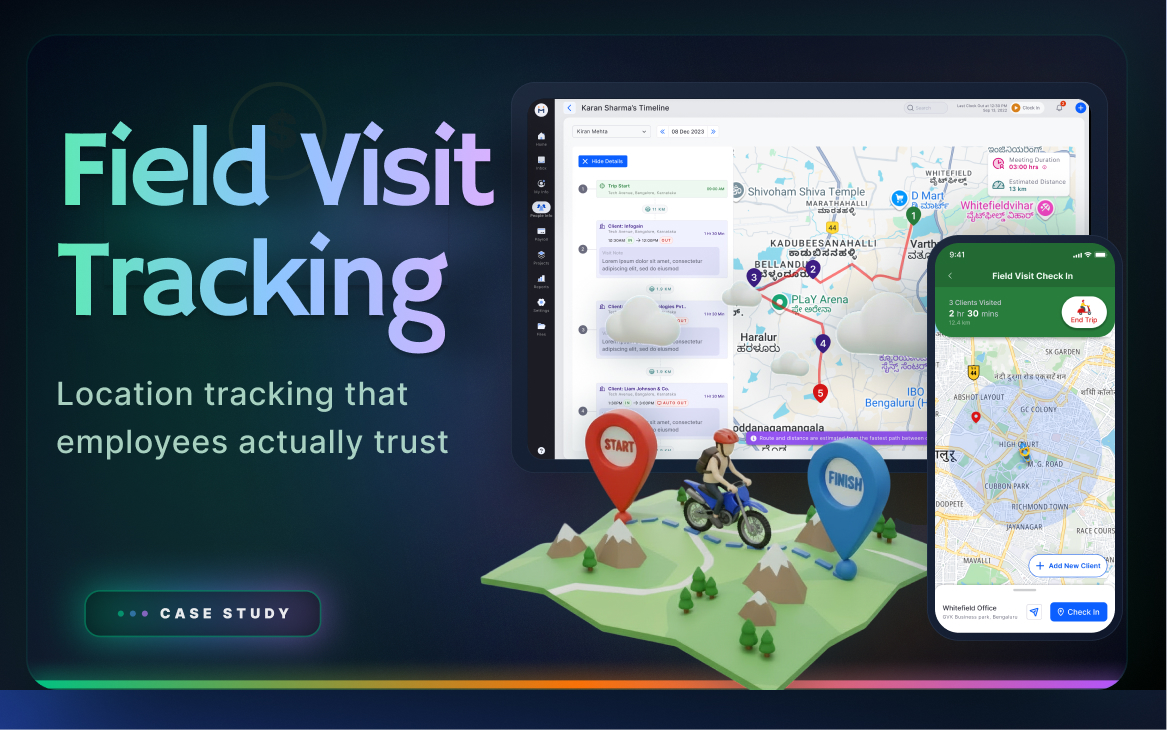
Case study 05 — Field Visit Tracking

Field visit tracking — location employees actually trust

From surveillance anxiety and disconnected expense reports to transparent tracking, employee agency, and expense linking at checkout
RoleLead UX Designer
PlatformMobile (field) + Web (managers)
Users3 personas — Field employees, managers, HR admin
ScopeVisit Tracking · Check-in/out · Expense Linking · GPS Accuracy · Reports
Field Visit Tracking
Step 1 — Empathise

Surveillance anxiety is real — and rational.

Field employees — sales reps, service technicians, delivery staff — reacted strongly when they learned their location would be tracked. "My company will know where I am every minute. What if GPS shows me somewhere wrong? What if I stop for tea?" These weren't irrational fears. They reflected real experiences with opaque systems that offered no way to verify or dispute the data.

🚗
Field Employee
Sales rep / service technician / delivery staff — on the move all day
"I don't mind being tracked if I can see what they see. Just show me my own data."
Says
Why is the company tracking me? What if GPS marks me in the wrong place? I forgot to check in — my manager will think I wasn't there. How do I add my travel expenses?
Thinks
Will location data be used against me? If I stop for lunch, will that count? Is my GPS accurate enough? Will I be penalised for a wrong GPS reading?
Does
Visits multiple client locations per day. Submits expenses separately after visits. Calls manager to explain visit discrepancies. Forgets to check out at end of visit.
Feels
Anxious about being watched. Frustrated with manual expense submission after the fact. Relieved when check-in is simple. Worried about GPS inaccuracies causing disputes.
Pain
  • No visibility into what data manager sees about them
  • GPS inaccuracy causes disputes with no correction mechanism
  • Expense submission is a separate, disconnected process
  • Forgetting to check in/out creates gaps in visit record
  • Poor network in field areas makes app unreliable
  • Surveillance anxiety reduces trust and morale
Need
  • See the same location data their manager sees
  • Manual location correction option for GPS errors
  • Expense linking at check-out — one step, not two
  • Offline mode with sync when network returns
  • Clear day summary at end of shift
  • Distance and duration tracked automatically
👔
Field Manager
Monitors team field activity, approves expenses, plans territory coverage
"I need to know where my team is right now — not in the end-of-day report. I want to plan tomorrow's coverage based on today's positions."
Says
Show me who visited which client and for how long. I want to plan coverage for tomorrow based on who's near which area. Expense claims should be linked to visits.
Thinks
Did my team actually visit the clients they claimed? Are visit durations reasonable? Which employees are most productive in the field?
Does
Reviews daily visit reports. Approves or disputes expense claims. Plans territory assignments. Follows up on missed or short-duration visits.
Feels
Frustrated by lack of real-time visibility. Uncomfortable confronting employees about visit disputes without clear data. Satisfied when territory coverage is optimised.
Pain
  • No real-time visibility — only end-of-day reports
  • Expense claims disconnected from visit data
  • Difficult to verify visit duration and quality
  • Cannot plan territory coverage based on field positions
  • Manual report compilation from multiple inputs
Need
  • Live map view of team field positions
  • Visit timeline: client name, duration, distance
  • Expense claims linked to specific visits
  • Analytics: avg visit duration, frequency per client
  • Route optimisation suggestions for territory planning
🗂️
HR / Admin
Configures tracking policy, handles disputes, ensures legal compliance
"I need to ensure tracking stops outside work hours. And I need an audit trail when employees dispute their location data."
Says
Tracking should only happen during work hours. I need to manage employee consent. Disputes about GPS location must have a resolution mechanism.
Thinks
Is this compliant with data privacy regulations? Can employees dispute location data? How do I handle GPS error complaints?
Does
Sets tracking policy (which roles, which hours). Reviews escalated disputes. Generates compliance reports. Manages employee consent records.
Feels
Concerned about legal compliance. Worried about misuse of location data. Satisfied when policy is transparent and audit trail is clear.
Pain
  • Legal compliance concerns around location tracking
  • Handling employee disputes about GPS inaccuracies
  • Ensuring tracking stops outside work hours
  • Managing employee consent and transparency
  • No clear audit trail for location data disputes
Need
  • Work-hours-only tracking with configurable schedule
  • Employee consent management in onboarding flow
  • Immutable audit trail for all location corrections
  • Policy configuration by role and department
  • Dispute resolution workflow with manager visibility
Field employee emotional journey — a typical tracking day
How a field employee feels from app open through visit completion to day summary
😐App
Opens
😟Worried about
tracking
😊Sees own
data too
😊Check-in
is easy
😟Expense form
was separate
😊Expense at
checkout!
😌Day summary
is clear
Key insight from research: The transparency principle emerged from a single conversation with a field sales rep: "I don't mind being tracked if I can see what they see." Once we made employee-visible tracking the design principle — not the exception — every other design decision followed naturally. Employees who could see their own data reported 40% lower anxiety scores than those in manager-only visibility systems.
Step 2 — Define

Give employees the same view their manager has.

The defining design decision came directly from research: if employees could see their own location data — the same view their manager sees — resistance would drop significantly. Transparency, not restriction, was the answer. Four specific problem statements emerged:

Field Employee
Transparency problem
Employees are tracked but have no visibility into what data is recorded or what their manager sees. This opacity creates anxiety, distrust, and resistance to adoption — even among employees with nothing to hide.
Field Employee
Expense disconnection problem
Travel expenses are submitted separately from visit records — often at end of day or week from memory. This leads to missing claims, wrong amounts, and HR spending time reconciling expenses against visit data manually.
Field Manager
Real-time visibility problem
Managers receive end-of-day reports only. They cannot make territory planning decisions, handle emergencies, or redirect team members based on current field positions. Data is always 8+ hours stale.
HR / Admin
GPS accuracy problem
In poor-signal areas (basements, rural locations, dense urban), GPS coordinates are inaccurate by 100m+. With no correction mechanism, employees cannot dispute wrong location data — creating distrust and HR escalations.
The transparency principle as design north star: Every feature decision was evaluated against one question: "Does this give employees more visibility into their own data, or less?" Features that failed this test were dropped or redesigned before prototyping.
Step 3 — Ideate

Visit timeline + expense linking in one flow.

Two major ideation threads ran in parallel — the employee mobile experience and the manager web dashboard — with one shared constraint: the data shown to both must be identical.

Tracking model: three approaches explored

Passive background tracking
App tracks location continuously in background. Simplest for employee, but creates "I'm always being watched" anxiety. No employee agency or awareness of what's recorded. Rejected. Worsened the core problem.
Chosen
Manual check-in/check-out
Employee explicitly checks in on arrival and checks out on leaving. Employee has agency and awareness — knows exactly what's being recorded. Creates a natural moment to attach expenses at checkout. Same data as manager sees. Chosen.
Expense: separate form later
Employee submits expenses separately after visits. Lower capture rate — employees forget, amounts are estimated, context is lost. Creates manual reconciliation work for HR. Rejected as primary flow.
Chosen
Expense linked at checkout
Slide-up expense form at check-out moment — employee is leaving the client location and mentally closing the visit. Highest context and motivation for accurate expense capture. Captured 3x more expenses than separate flow. Chosen.

Manager dashboard: map vs timeline

Map-first view

Live map showing team positions. Good for dispatch and territory planning. Poor for reviewing visit history, expense approval, or performance analytics.

Timeline-first view (chosen)

Chronological visit history per employee with map context on demand. Better for review workflows, expense approval, and performance analytics. Map embedded as secondary view alongside timeline.

Step 4 — Prototype

Testing the transparency principle.

The employee mobile prototype showed full visit history with map, timestamps, and distance — exactly what the manager sees. The admin prototype showed the same data with additional analytics. Expense linking was tested as a slide-up sheet at check-out.

Field employee — mobile visit flow

Start Trip Navigate to Client Arrive: Check In Visit in Progress Check Out + Add Expense Visit Recorded End Trip

Task flow: field employee completing a client visit

Phase Start Trip At Client Location Check Out Day Summary
Activity Open app. Start trip. GPS activates. Live location starts recording. Map shows current position and planned route. Arrive at client. Check in — GPS records location and timestamp. Visit timer starts. Employee sees their own check-in data, same as manager will see. Check out. Slide-up sheet: add expense (transport, food, other). Pre-filled distance-based transport amount. Camera shortcut for receipt. Confirm visit summary. Visit saved and synced. View day's complete visit timeline. Distance total. All expenses submitted. Same view as manager sees. Push notification summary sent.
Feeling Familiar and deliberate — starts the same way every day Confident — knows check-in is recorded and visible to both employee and manager Relieved — expenses linked inline, not separately later, no memory required Satisfied — full transparent record of the day verified before manager sees
Design decision Offline mode: queue check-ins when no signal, sync automatically when network returns. No data loss. Optional geo-fence prompt for registered clients. Manual location correction if GPS is inaccurate — creates audit trail visible to both. Pre-fill transport expense based on GPS distance. Receipt photo shortcut. Slide-up sheet stays in visit context — no navigation away from map. End-of-day push notification summary. Employee sees their record before manager does — reinforces transparency principle.
📱 Mobile — Wireframes to Visual Design
Mobile Wireframes — Low fidelity exploration

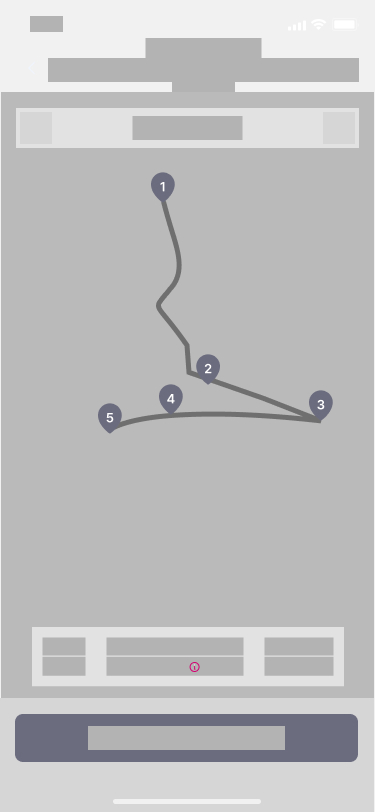
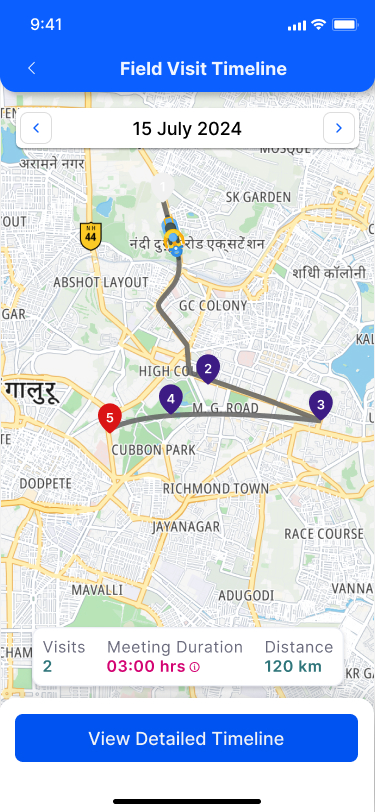
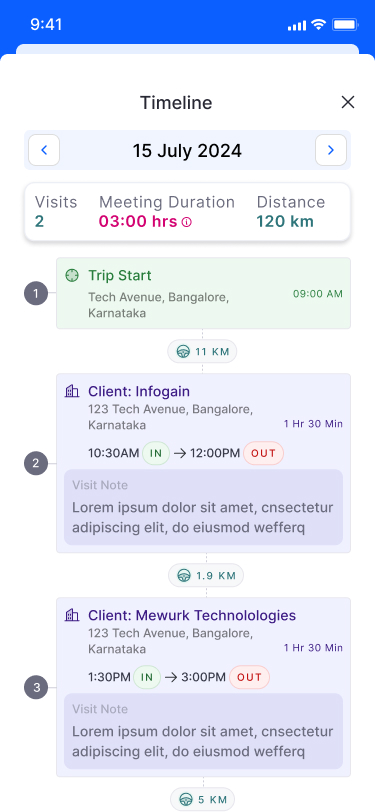
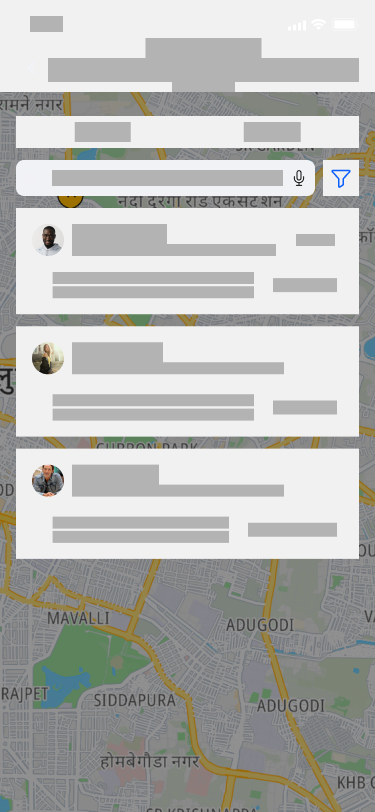
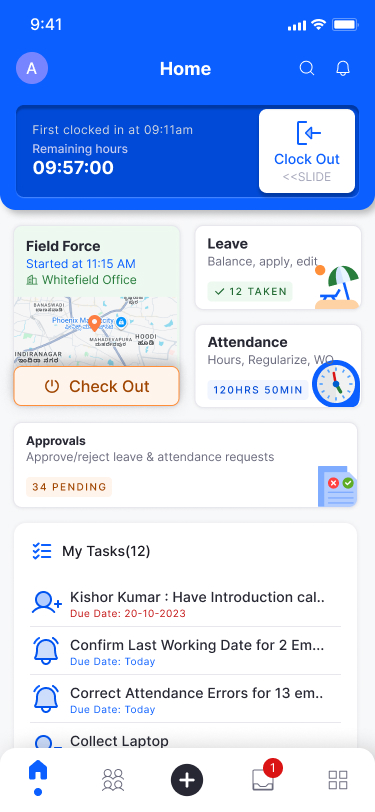
Wireframes explored the core employee-facing flows: the Home screen with the live Field Force card, the field team tracker overlaid on a map, the route map with numbered visit stops, and the detailed visit timeline. Each screen was tested for cognitive load — could an employee understand their status at a glance?
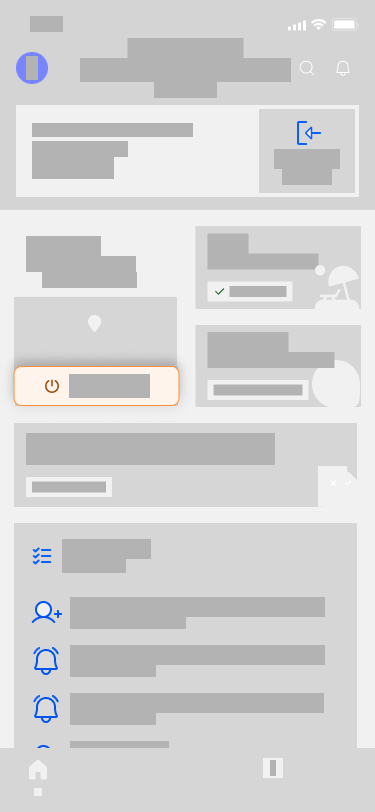
Mobile wireframe - Home screen with Field Force card
Home — Clock OutHome card shows active field session, remaining hours counter, and map preview with a prominent Check Out CTA.
Mobile wireframe - Field team tracker
Team TrackerOn Field / Off Field toggle. Employee list overlaid on map. Each card shows last visit and clock-in status.
Mobile wireframe - Route map with visit stops
Route MapNumbered stop pins connected by route path. Summary bar at bottom: visit count, meeting duration, distance. CTA to detailed timeline.
Mobile wireframe - Visit timeline detail
Visit TimelineTrip Start → Client visits in order → Trip End. Distance between stops. IN/OUT timestamps per visit. Visit notes section per entry.
Key wireframe decision: The route map and timeline are separate screens accessed progressively — map gives spatial context, timeline gives sequential detail. Tested both combined and split; split won because each serves a different decision (where vs when).
Mobile Visual Design — Final shipped screens

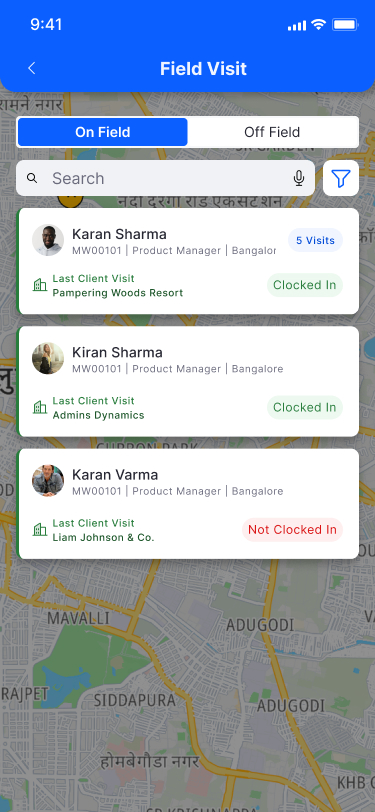
The visual design applied the Mewurk design system: blue primary, white backgrounds, Inter font, card-based layout. Key decisions: the Check Out button uses a distinct orange CTA to prevent accidental misses. Clocked In/Not Clocked In status uses green/red text for instant scan-ability on the team tracker.
Mobile visual - Home screen final
Home — FinalField Force card shows active session time, Whitefield Office location, map preview. Orange Check Out button. Leave and Attendance widgets alongside. Tasks list below.
Mobile visual - Team tracker final
Team Tracker — FinalEmployee cards on map. Photo + name + ID + last visit + status. Green "Clocked In" vs red "Not Clocked In". Visit count badge on active employees.
Mobile visual - Route map final
Route Map — FinalDate navigator. Numbered stop pins on live map. Stats: Visits, Meeting Duration (pink), Distance (green). "View Detailed Timeline" CTA.
Mobile visual - Visit timeline final
Timeline — FinalTrip Start → Client: Infogain (1h 30m, IN→OUT) → Client: Mewurk Technologies (1h 30m). Distance between stops. Visit notes visible inline.
🖥️ Web — Wireframes to Visual Design
Web Wireframes — Manager dashboard exploration

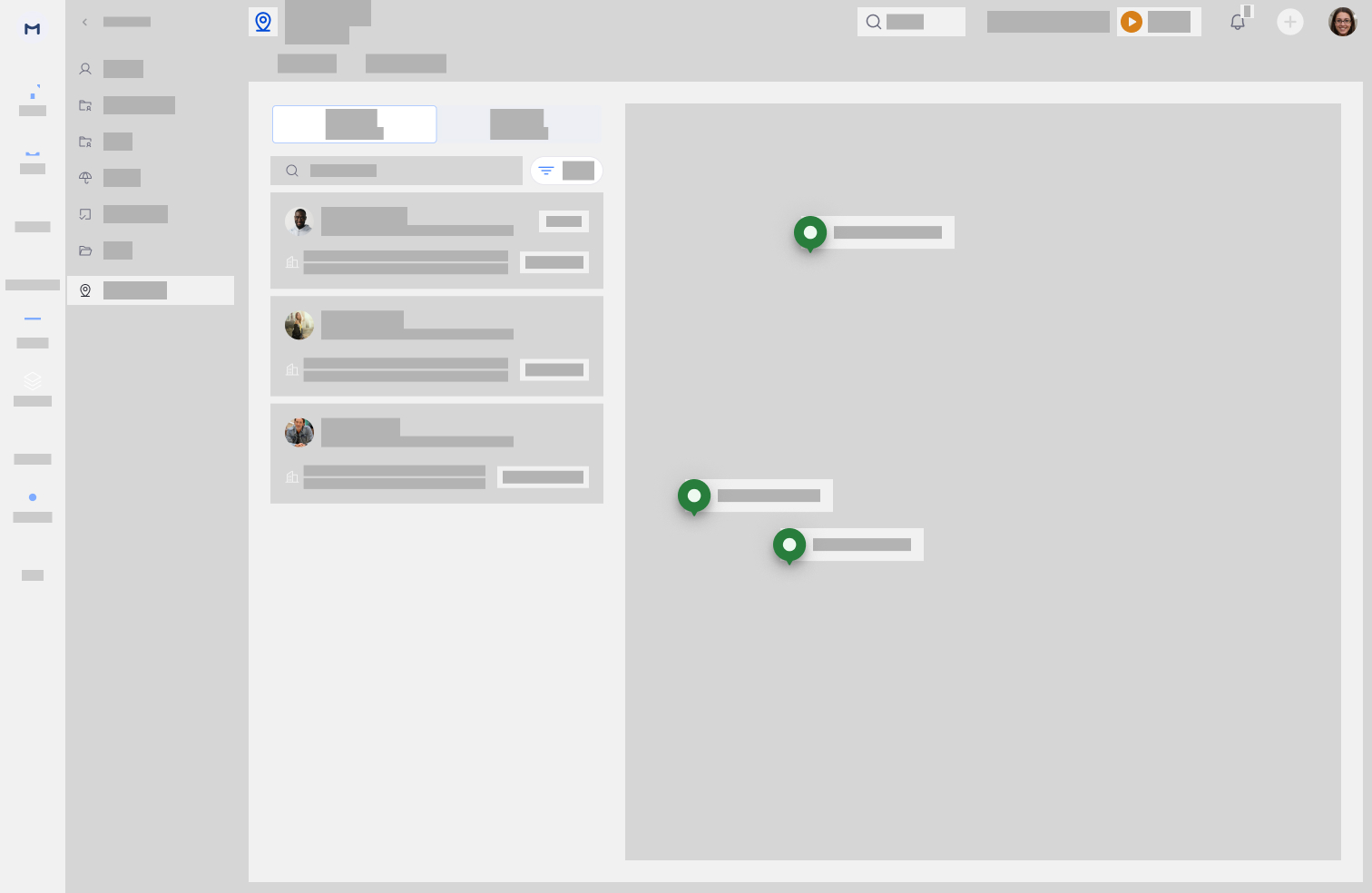
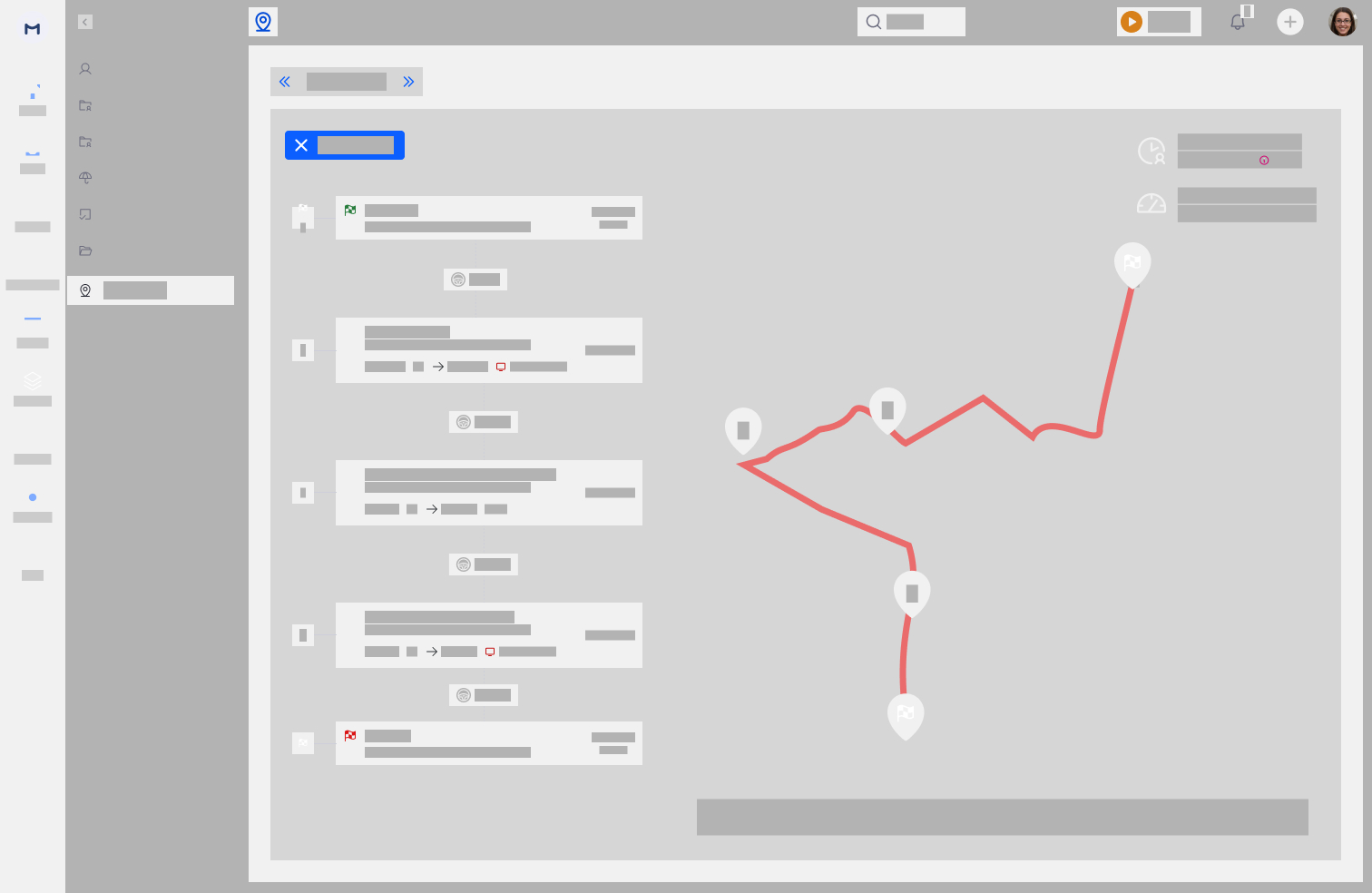
Web wireframes covered the manager's four key workflows: Field Visit Settings (policy + client setup), the Daily Tracker with list + map split, the Visit Timeline detail view with route overlaid, and the Employee Visit Summary Report table with summary metrics.
Web wireframe - Field visit settings
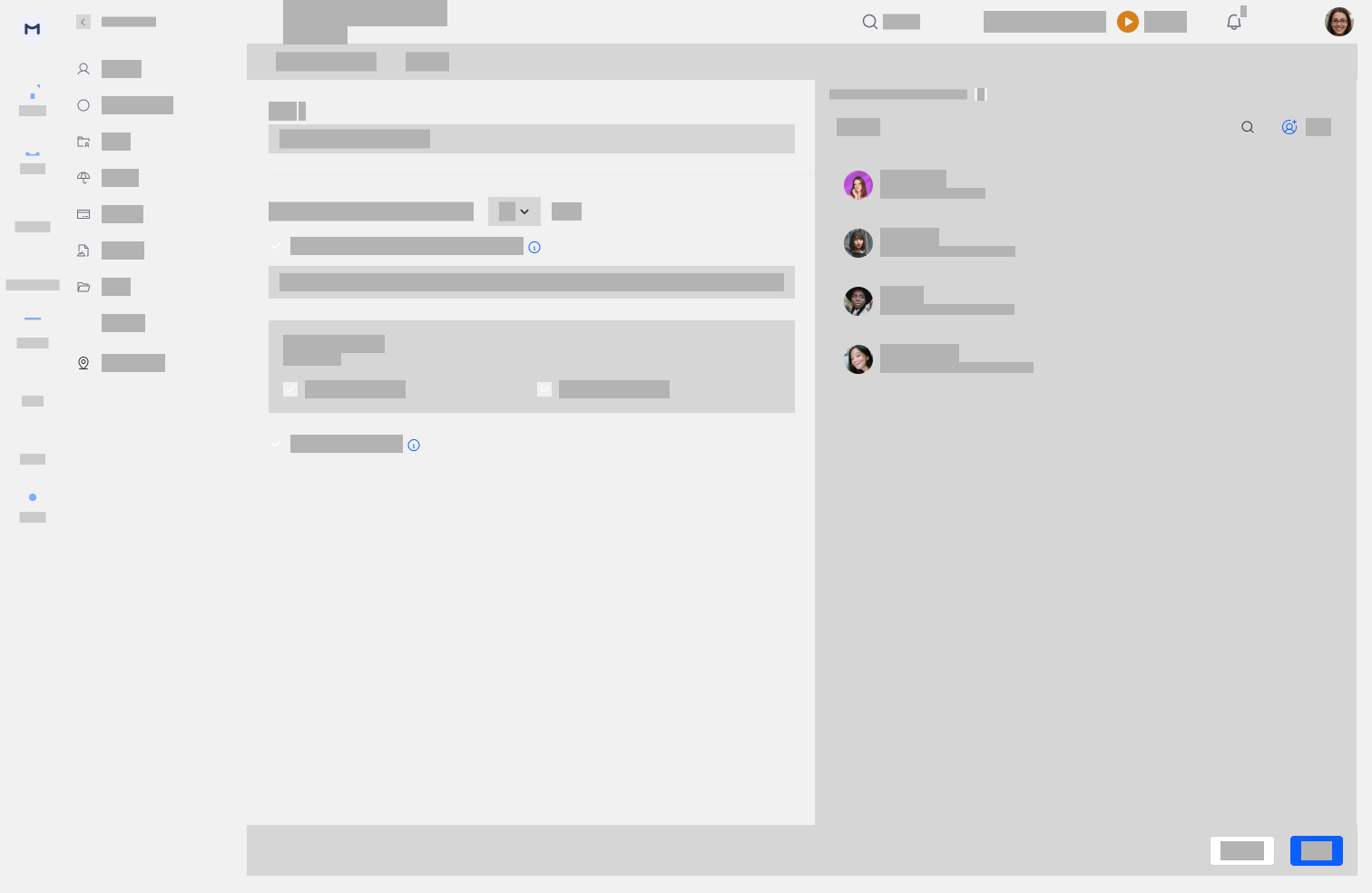
Settings — Policy + ClientsTwo-tab settings: "Field Visit Policy" (title, GPS tracking toggle, auto-checkout duration, manager notifications) and "Clients" (client list with map). Policy applicable-for panel on right.
Web wireframe - Daily tracker list + map
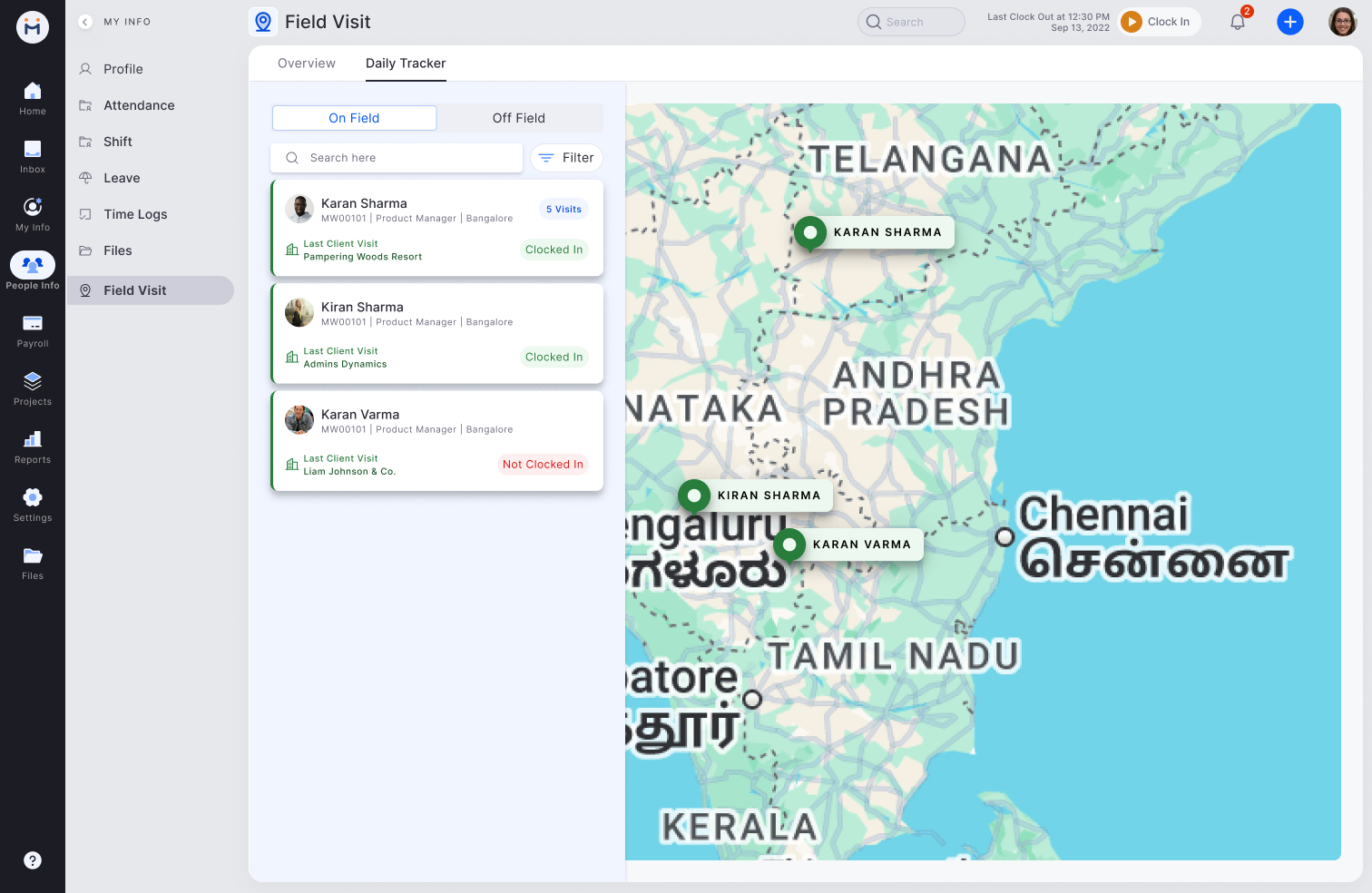
Daily TrackerLeft panel: On Field / Off Field toggle, employee list with last client visit and status. Right: live map with employee pins. Split layout chosen over map-only for review workflow support.
Web wireframe - Visit timeline detail
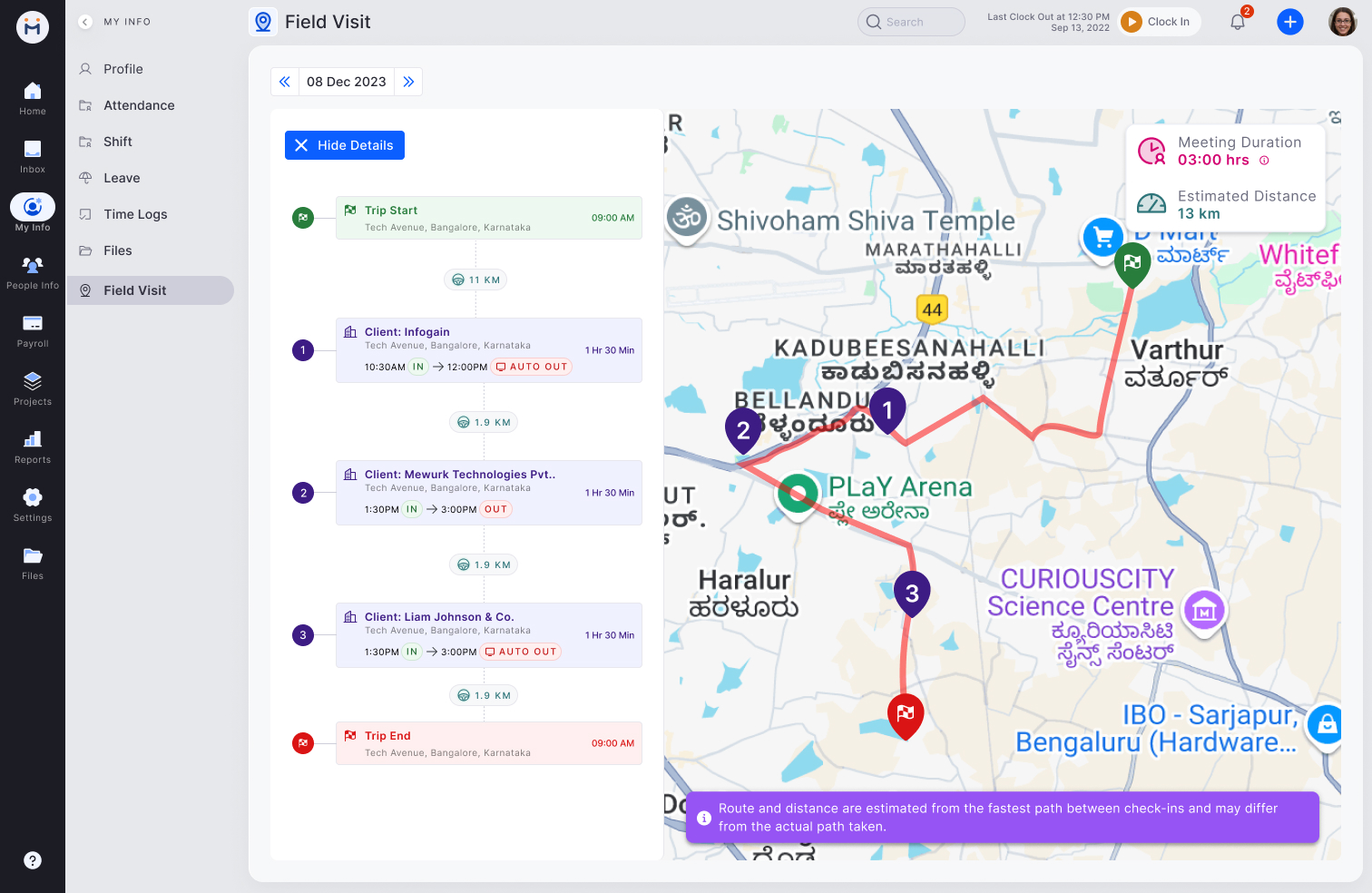
Visit Timeline DetailDate navigator at top. Left: timeline of Trip Start → visits → Trip End with distance between. Right: route drawn on map with numbered pins. Meeting duration + distance summary top-right.
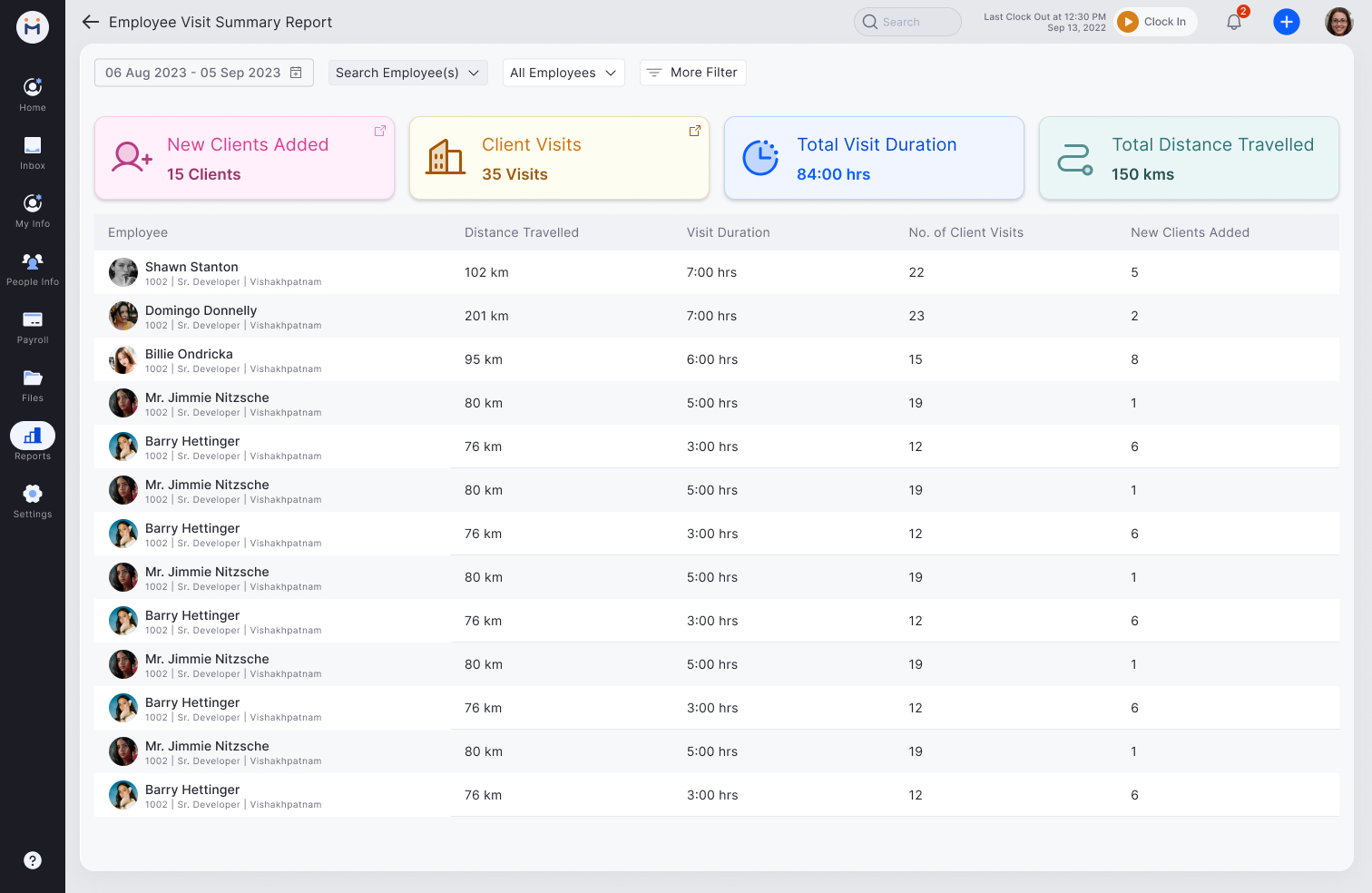
Web wireframe - employee report table
Report TableSummary cards at top (new clients, visits, duration, distance). AG Grid table with employee photo, name, and metrics per column. Date range and employee filter controls.
Web wireframe - settings clients tab
Settings — Clients TabClient list with address, map pins. Active/Inactive state for client management. Map shows all registered client locations. Used for geo-fence optional enhancement.
Web Visual Design — Final shipped screens

The web visual design brought in the Mewurk dark navigation sidebar, real map tiles (Google Maps), and the established design system components. The timeline detail page became the most-used screen by managers — the combination of numbered timeline entries on the left and the route path on the right gave full context without switching views.
Web visual - Daily tracker with real map
Daily Tracker — FinalOn Field / Off Field tabs. Employee cards with photo, ID, role, last client visit, status. Real map with named employee pins (KARAN SHARMA, KIRAN SHARMA, KARAN VARMA).
Web visual - Timeline detail with route
Visit Timeline Detail — FinalDate navigator (08 Dec 2023). Timeline: Trip Start → Client Infogain (AUTO OUT) → Client Mewurk → Trip End. Red route path on real map. Meeting duration + estimated distance top-right.
Web visual - Field visit settings policy
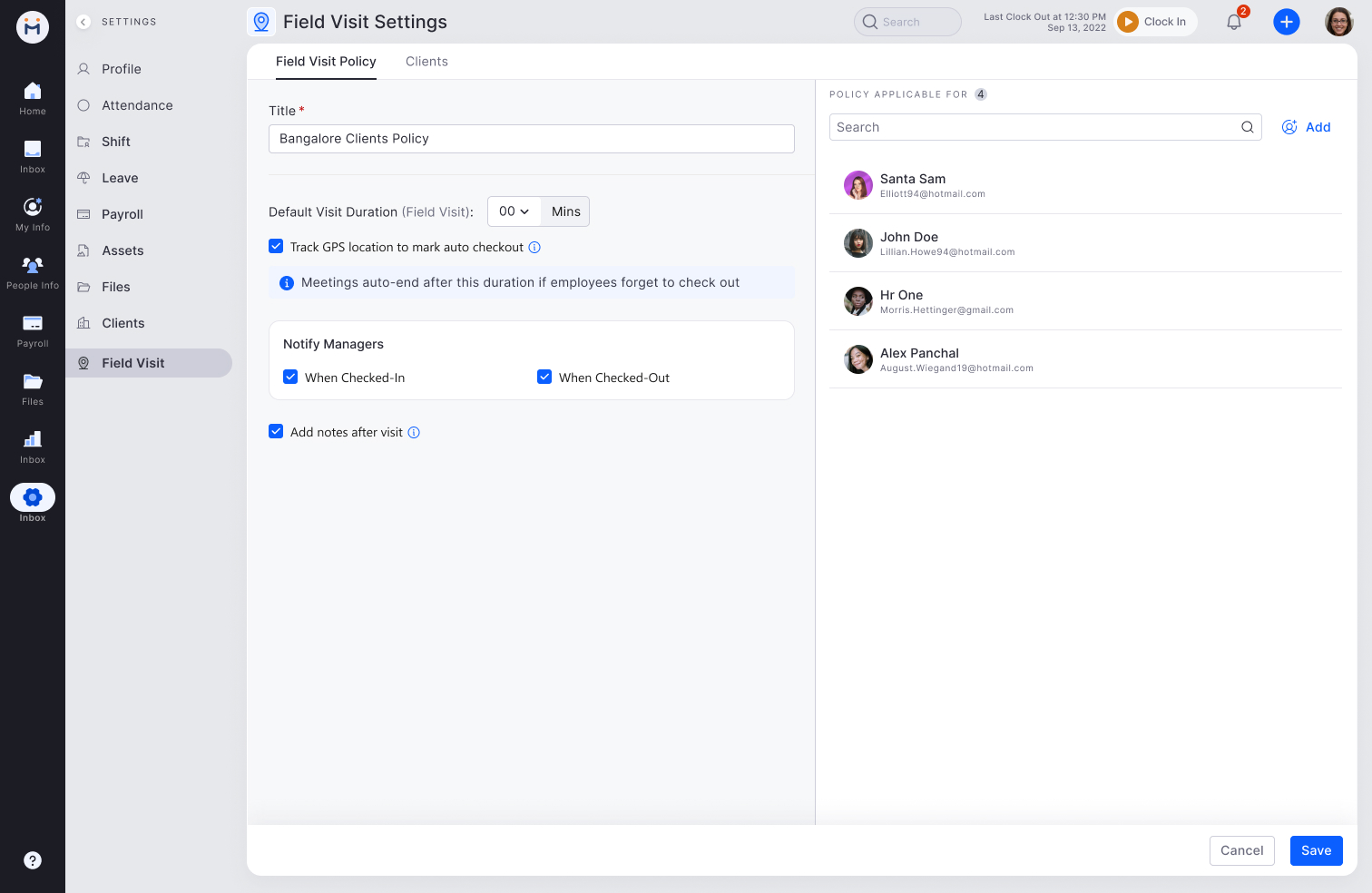
Settings: Policy — FinalPolicy title, default visit duration, GPS auto-checkout toggle with helper text, manager notifications (on Check In + Check Out), add notes toggle. Policy applicable-for panel with assignee list.
Web visual - Settings clients with map
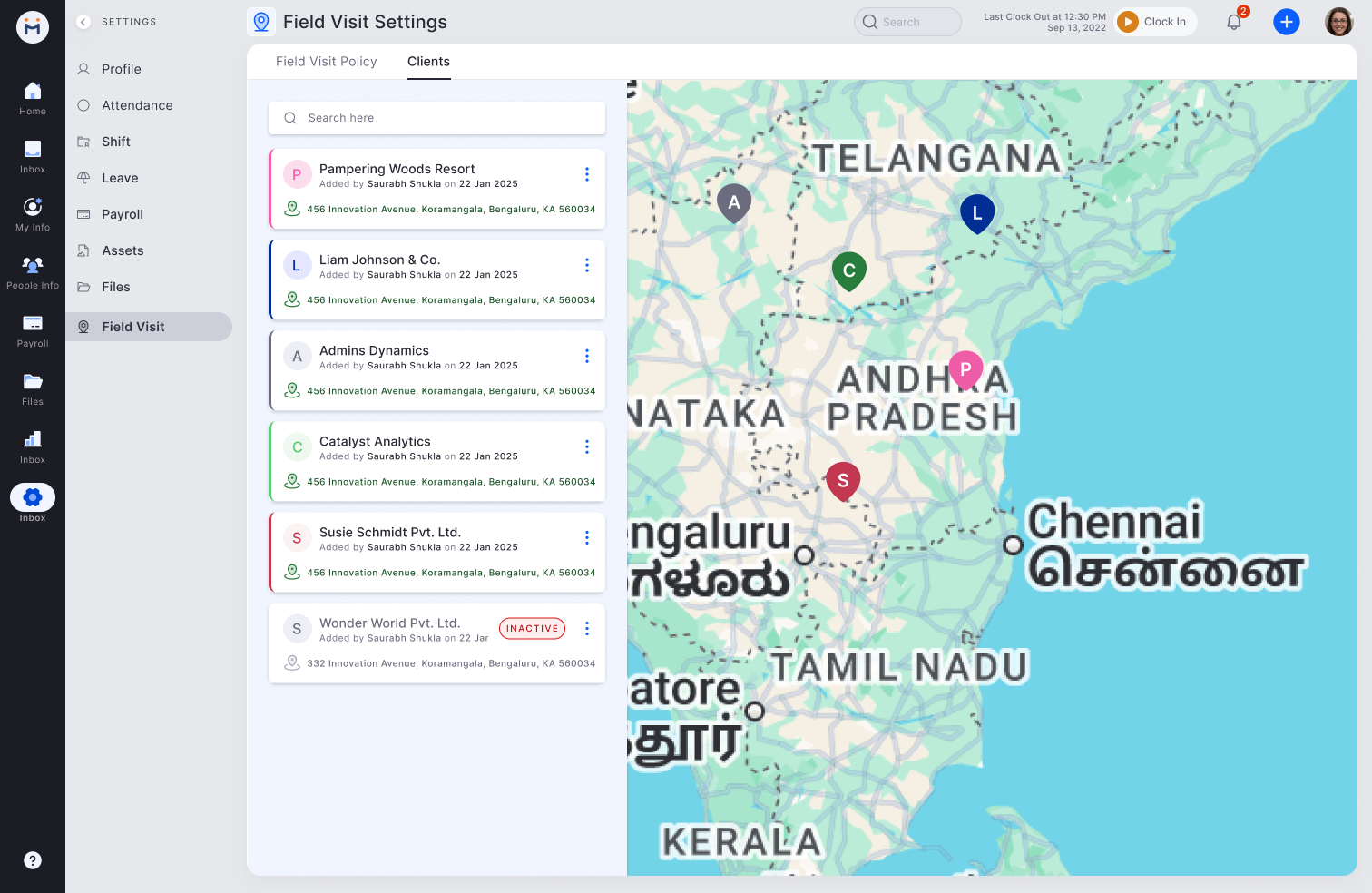
Settings: Clients — FinalClient list (Pampering Woods Resort, Liam Johnson, Admins Dynamics etc.) with add date and address. Map pins show all registered clients. Inactive state badge for deactivated clients.
Web visual - Employee visit summary report
Employee Visit Summary Report — FinalDate range filter + employee search. Summary row: New Clients Added (15), Client Visits (35), Total Visit Duration (84 hrs), Total Distance (150 km). AG Grid table with per-employee breakdown of distance, duration, visits, new clients.

Key prototype decisions

Step 5 — Test and Ship

Transparency worked exactly as predicted.

Post-test interviews with field employees who could see their own data showed significantly lower resistance compared to those using manager-only visibility models. Key findings that validated and refined the design:

What shipped

👁️
Employee-visible tracking
Employees see their complete visit history — identical view to manager. No hidden data. Core to trust and adoption.
Manual check-in/check-out
Employee agency and awareness — not passive background tracking. Creates natural moment to attach expenses.
💰
Expense linking at check-out
Slide-up form in visit context. Pre-filled distance transport. Camera receipt shortcut. 3x higher capture rate.
📍
Manual location correction
Flag GPS errors with an audit trail. Both employee and manager see corrections. Disputes resolved with data.
📵
Work-hours-only tracking
Location activates on Trip Start, deactivates on Trip End. Never outside work context.
📊
Timeline-first manager dashboard
Chronological visit history per employee. Map embedded as secondary context. Analytics: avg duration, frequency per client.
3x
More expenses captured with inline checkout linking vs separate flow
10+
Industries using field visit tracking across Mewurk companies
0
Hidden data — employee and manager see identical visit records